AI assurance framework
Add governance and sign-off controls to AI agent outputs.
Explore AI assuranceRockhopper is the AI review layer built for finance teams — catching errors, explaining changes, and reconciling data before anyone else sees your numbers.
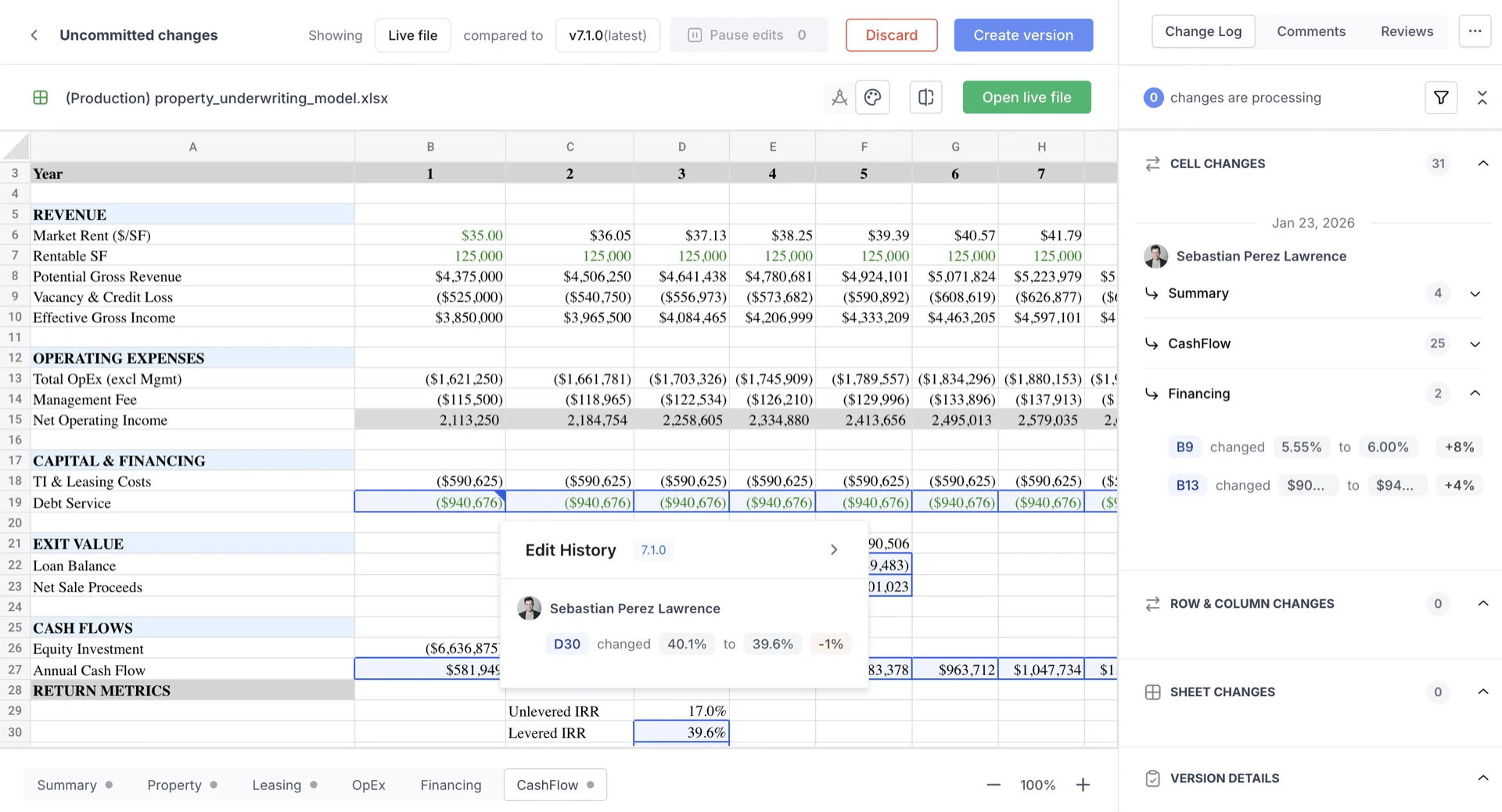
Manual spreadsheet review is a material risk. Finance teams spend hours reviewing model versions, chasing broken links, and manually tying out numbers to source data — often during close. One missed formula, one hardcoded override, one transposition error, and you're explaining it to the audit committee.
You can't tell at a glance what changed, who changed it, or whether it's material. Every review is a treasure hunt.
"Which cells were modified?"
"Was the change structural or just an input?"
"Is this a 0.1% delta or a 10% one?"
Broken external links, circular references, and hardcoded overrides sit undetected across hundreds of cells until they matter most.
Broken link: //server/Q3_actuals.xlsx
Circular ref: D14 → G22 → D14
Hardcoded override: was =SUM(), now 4,200,000
Tying sub-ledger details to summary totals, cross-checking against source documents — each one a time-consuming, cognitively taxing task.
Sub-ledger total: $4,312,891
Summary total: $4,312,901
Variance: $10 — is it rounding or an error?
When it matters most, you have the least time. Month-end and quarter-end are when errors slip through — and when they cause the most damage.
"It's day 2 of close."
"The depreciation schedule doesn't tie."
"The CFO review is tomorrow."
Three capabilities. One review agent. Rockhopper works across your workbook, surfacing what changed, what's broken, and what doesn't tie — in plain English, before you sign off.
Rockhopper compares versions and delivers a ranked, plain-English summary of every material change — classified, contextualized, and grouped by business logic.
Linting for finance: detect formula inconsistencies, flag outliers vs. historical patterns, identify broken links, and get auto-classified findings with suggested fixes.
Cross-check sub-ledger details against summary totals, reconcile attached source documents, and flag any variance that doesn't belong — across every tab in the workbook.
Stop reading cell by cell. Rockhopper produces an executive-ready change summary the moment two versions are compared.
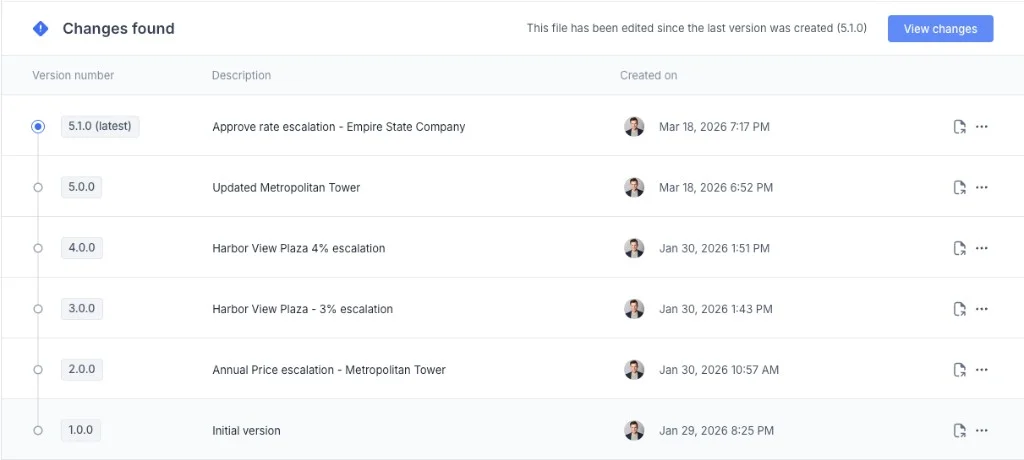
Rockhopper scans every formula, link, and data point — flagging what looks wrong, what's inconsistent, and what's silently broken. With severity ranking, so you know what to fix first.
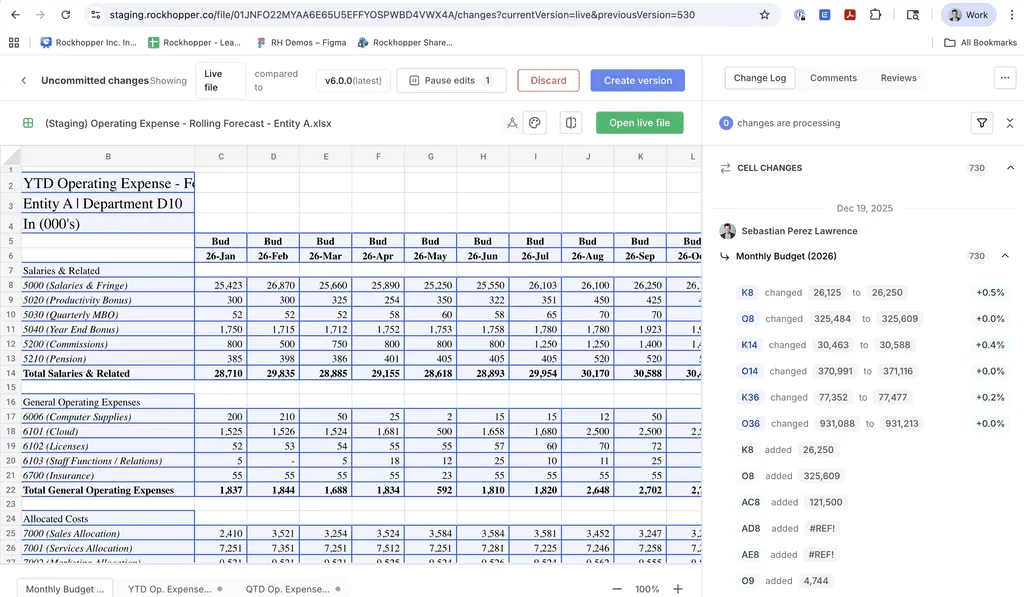
“The month-end close isn't when you want to be discovering a broken link or a hardcoded number that's been sitting there for two quarters.”
What every Controller has said, privately, at least once.
Made for everyone in the office of the CFO.
Whether you're closing the books, stress-testing a model, preparing for an audit, or presenting to the board — Rockhopper gives you the confidence your numbers deserve.
It's day 3 of the budget cycle. You have 6 versions of the operating model, two contributors who updated assumptions without telling you, and a CFO review in 4 hours. You need to know what changed and whether any of it matters.
It's day 2 of month-end close. You're reconciling the G/L to the sub-ledger, reviewing the depreciation schedule, and preparing the flux commentary. One unexplained variance and you're not closing on time.
You manage the company's liquidity position, bank relationships, and FX exposure. A formula error in a 13-week cash flow or borrowing base certificate isn't an inconvenience — it breaks a covenant or misrepresents availability to your lenders.
You're pricing a bond, finalizing an LBO model, or running acquisition analysis ahead of a management presentation. These models go directly to investors, boards, and counterparties. An error isn't caught in review — it's caught by the other side of the table.
Reviewing the quarterly tax provision before the 10-Q drops, or reconciling the effective tax rate for the board. An error in your deferred tax asset calculation or apportionment factor doesn't just affect the provision — it affects earnings per share.
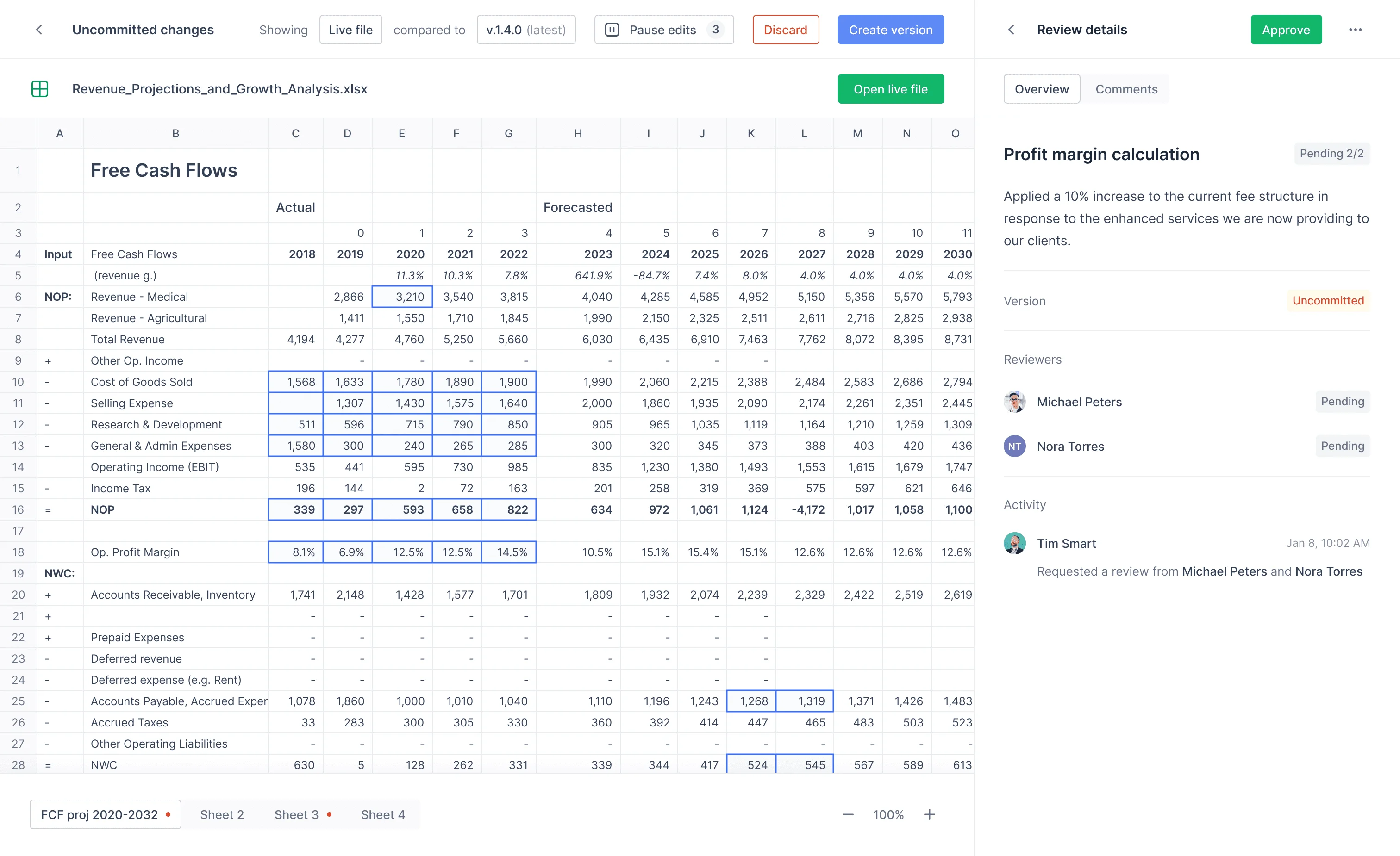
Related resources
Keep exploring with practical guides, product pages, and proof points for your evaluation process.
Add governance and sign-off controls to AI agent outputs.
Explore AI assuranceSee how version lineage powers trustworthy AI-assisted reviews.
View version controlWalk through your review workflow and quantify risk reduction opportunities.
Book demoJoin finance teams using Rockhopper to close faster, reduce model risk, and sign off with certainty.
Sign up for a 30-min demo