



AI assurance for finance teams
The review and sign-off layer between AI agents and your financial spreadsheets.
Explore AI assuranceThe first spreadsheet governance platform you can drive directly from Claude, Microsoft Copilot, Endex, and Gemini - with full cell-level audit, true version-to-version comparisons, and AI agent transparency.
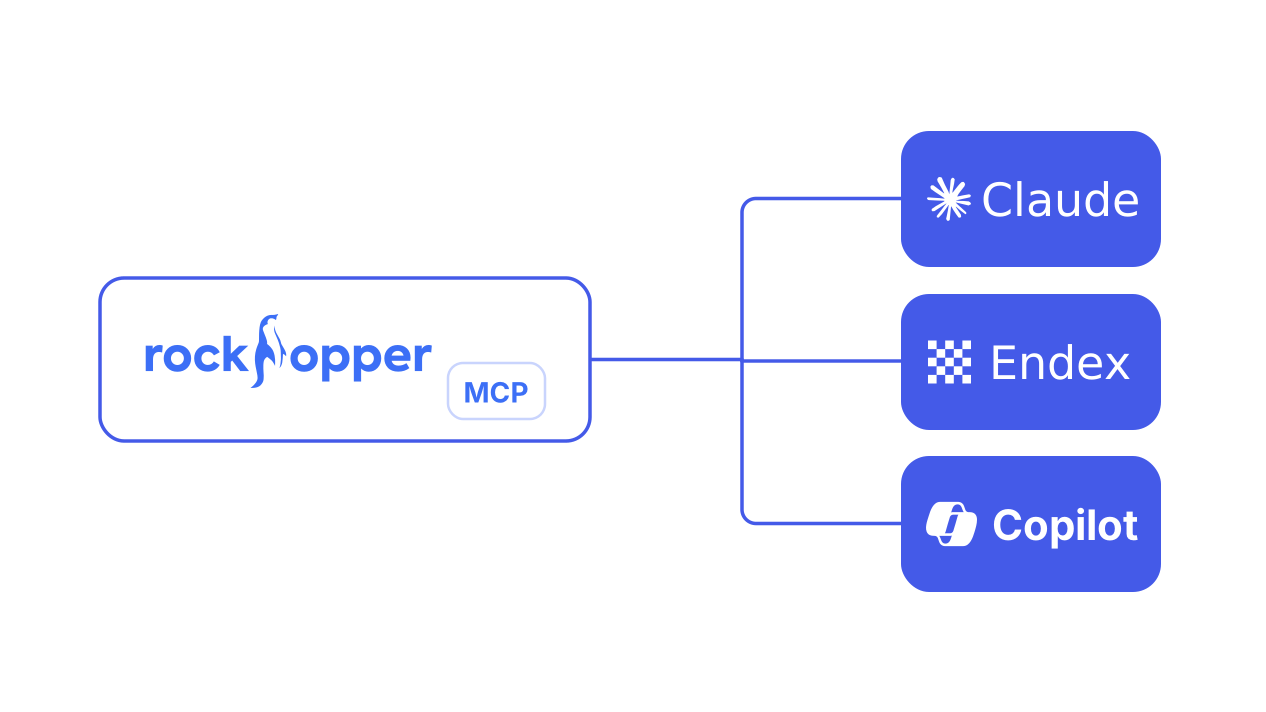
MCP Server · AI Integration
Audit, collaborate, version, and approve your spreadsheet work — directly from Claude. Trace every cell edit back to its author and run formal approval workflows without opening the file.
The Rockhopper MCP server makes Rockhopper a native part of your AI workflow — an AI-native analyst that keeps every edit attributed, every review approved, and every workbook version to query.
Once connected, your AI tools - Claude, Microsoft Copilot, Endex, Gemini, and ChatGPT with the Excel/Google Sheets connector - can talk to your Rockhopper workspace using the Model Context Protocol. All access is scoped to what your Rockhopper account is allowed to see.
Claude · Microsoft Copilot · Endex · Gemini · ChatGPT & Any MCP-Compatible Tool
AI is the new finance dashboard.
Until now, if you wanted AI to help with your forecast or close, it had to piece together an answer from whatever you pasted into the chat. It was only as useful as the snapshot you gave it.
Rockhopper MCP changes that. Built on the open Model Context Protocol, it plugs your Rockhopper workspace directly into the AI tools your team already lives in - so the AI can audit, review, comment, and version your workbooks with full context.
Finance and accounting teams stop copy-pasting and start asking the questions that actually matter.
A full-time analyst, reviewer, and version controller - on call.
The AI only sees what your Rockhopper account is allowed to see. Every action is logged in your audit trail, just like every other action in the app.
Audit
“Who last changed C12 in the Q3 P&L Model, and what was it before?”
Cell-level history surfaced in seconds, with the user, timestamp, and prior value.
Review
“Show me every unattributed change in our budget model this week and who made them.”
Uncommitted edits, grouped and explained — no more chasing analysts on Slack.
Collaborate
“Add a comment on Sheet1!B5 asking why this assumption shifted 10%.”
Threaded, cell-anchored comments — written by your AI, owned by you.
Approve
“Create a review request for the latest version of the Q3 forecast.”
Kick off SOX-grade approval workflows without ever leaving the chat window.
Version
“Create a new version called 'pre-board-edit'.”
Snapshot, branch, and roll back models with a single instruction.
Triage
“List my pending review requests, then approve the one for the budget model.”
Clear the queue at the end of close — one conversation, every approval.
One MCP endpoint. OAuth in your browser. Any client that speaks the Model Context Protocol can use it.
Connected in about two minutes.
Paste https://mcp.rockhopper.co/mcp into your AI client's MCP settings. Transport: Streamable HTTP.
https://mcp.rockhopper.co/mcp Your client opens a browser and signs you in just like any web app. No tokens to copy or store.
Try "List my Rockhopper files." Your enrolled workbooks come back inline.
Prefer a token?
Run npx -y @rockhopper-co/mcp-server with a personal access token. Read-only or read & write — your call.
npx -y @rockhopper-co/mcp-server 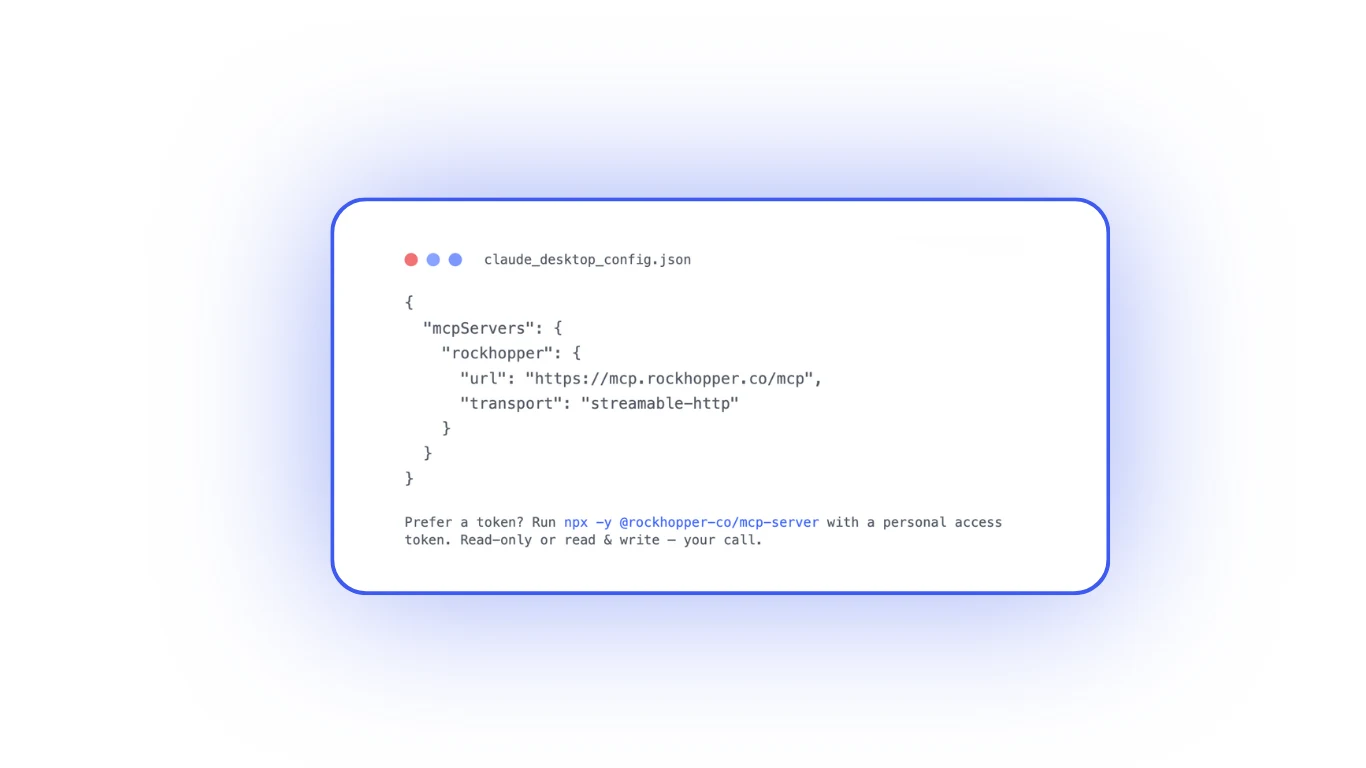
Claude connector
Rockhopper is listed in Claude's connector directory. Add it once and Claude can audit, review, comment on, and version your workbooks - no config file to edit.

Audited annually. The same controls that protect your Rockhopper workspace apply to MCP traffic.
The AI sees only what your account can see. A read-only token cannot post comments or open reviews.
Every MCP call lands in your Rockhopper audit log. Revoke tokens instantly from the same page.
Related resources
Keep exploring with practical guides, product pages, and proof points for your evaluation process.
The review and sign-off layer between AI agents and your financial spreadsheets.
Explore AI assuranceClaude for financial model intelligence, Rockhopper for enterprise governance.
See Claude + RockhopperEndex for model intelligence, Rockhopper for enterprise governance.
See Endex + RockhopperEarly access is rolling out to finance teams now. Tell us which AI client you use and we'll get you connected. Read the docs.
Request access